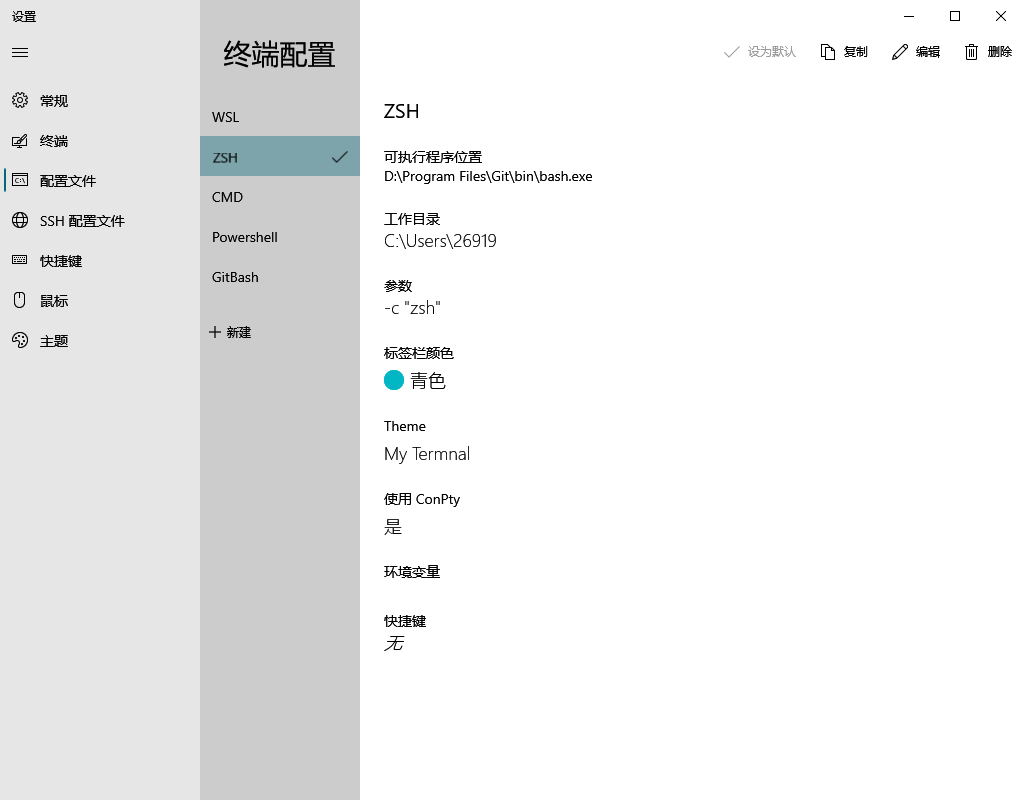
效果图
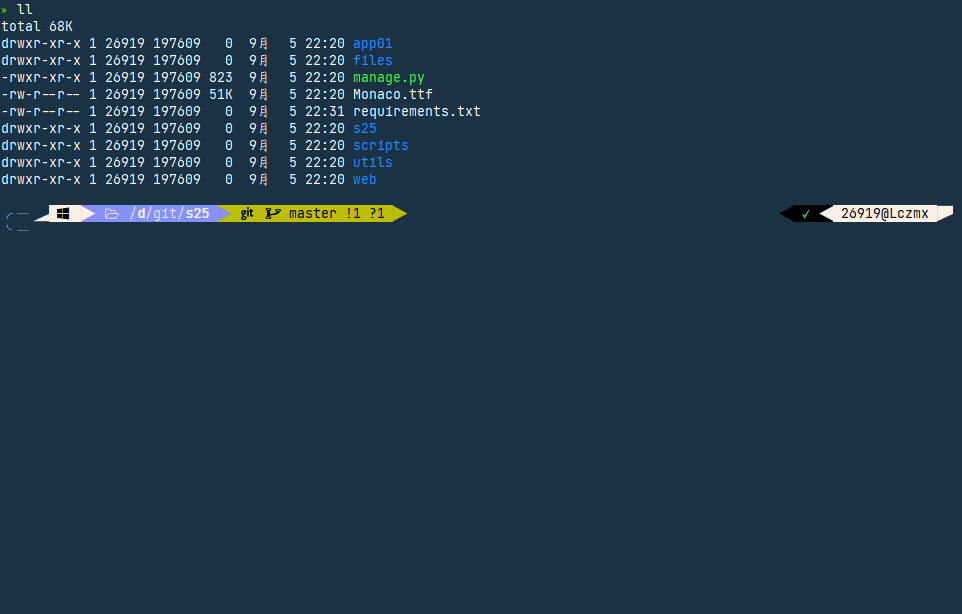
步骤
- 修改
~/.minttyrc文件 - 安装
zsh - 安装
ohmyzsh - 修改
安装目录/etc/bash.bashrc文件
~/.minttyrc
Font=Font Awsome SC
FontHeight=10
Transparency=off
FontSmoothing=full
Locale=zh_CN
Charset=UTF-8
Columns=120
Rows=36
OpaqueWhenFocused=no
Scrollbar=none
Language=zh_CN

ForegroundColour=255,255,255
BackgroundColour=27,49,68
CursorColour=220,130,71

BoldBlack=128,128,128
Green=64,200,64
BoldGreen=64,255,64
Yellow=190,190,0
BoldYellow=255,255,64
Blue=135,144,255
BoldBlue=30,144,255
Magenta=211,54,130
BoldMagenta=255,128,255
Cyan=64,190,190
BoldCyan=128,255,255
White=250,240,230
BoldWhite=250,240,230

BellTaskbar=no
Term=xterm-256color
FontWeight=400
FontIsBold=no
BellType=0

CtrlShiftShortcuts=yes
ConfirmExit=no
AllowBlinking=yes
BoldAsFont=no
安装zsh
前置
下载文件 在该页面下载
.zst文件
zsh-5.8-5-x86_64.pkg.tar.zst解压软件【可选】 点击peazip进入下载页面
解压到git安装目录 etc对etc即可
进入zsh 输入
zsh然后你会发现进入了 zsh 终端
提示我们没有配置文件,输入0创建一个就行了创建oh_my_zsh_install.sh
#!/bin/sh
#
# This script should be run via curl:
#   sh -c "$(curl -fsSL https://raw.githubusercontent.com/ohmyzsh/ohmyzsh/master/tools/install.sh)"
# or via wget:
#   sh -c "$(wget -qO- https://raw.githubusercontent.com/ohmyzsh/ohmyzsh/master/tools/install.sh)"
# or via fetch:
#   sh -c "$(fetch -o - https://raw.githubusercontent.com/ohmyzsh/ohmyzsh/master/tools/install.sh)"
#
# As an alternative, you can first download the install script and run it afterwards:
#   wget https://raw.githubusercontent.com/ohmyzsh/ohmyzsh/master/tools/install.sh
#   sh install.sh
#
# You can tweak the install behavior by setting variables when running the script. For
# example, to change the path to the Oh My Zsh repository:
#   ZSH=~/.zsh sh install.sh
#
# Respects the following environment variables:
#   ZSH     - path to the Oh My Zsh repository folder (default: $HOME/.oh-my-zsh)
#   REPO    - name of the GitHub repo to install from (default: ohmyzsh/ohmyzsh)
#   REMOTE  - full remote URL of the git repo to install (default: GitHub via HTTPS)
#   BRANCH  - branch to check out immediately after install (default: master)
#
# Other options:
#   CHSH       - 'no' means the installer will not change the default shell (default: yes)
#   RUNZSH     - 'no' means the installer will not run zsh after the install (default: yes)
#   KEEP_ZSHRC - 'yes' means the installer will not replace an existing .zshrc (default: no)
#
# You can also pass some arguments to the install script to set some these options:
#   --skip-chsh: has the same behavior as setting CHSH to 'no'
#   --unattended: sets both CHSH and RUNZSH to 'no'
#   --keep-zshrc: sets KEEP_ZSHRC to 'yes'
# For example:
#   sh install.sh --unattended
# or:
#   sh -c "$(curl -fsSL https://raw.githubusercontent.com/ohmyzsh/ohmyzsh/master/tools/install.sh)" "" --unattended
#
set -e

# Track if $ZSH was provided
custom_zsh=${ZSH:+yes}

# Default settings
ZSH=${ZSH:-~/.oh-my-zsh}
REPO=${REPO:-ohmyzsh/ohmyzsh}
REMOTE=${REMOTE:-https://github.com/${REPO}.git}
BRANCH=${BRANCH:-master}

# Other options
CHSH=${CHSH:-yes}
RUNZSH=${RUNZSH:-yes}
KEEP_ZSHRC=${KEEP_ZSHRC:-no}


command_exists() {
  command -v "$@" >/dev/null 2>&1
}

# The [ -t 1 ] check only works when the function is not called from
# a subshell (like in `$(...)` or `(...)`, so this hack redefines the
# function at the top level to always return false when stdout is not
# a tty.
if [ -t 1 ]; then
  is_tty() {
    true
  }
else
  is_tty() {
    false
  }
fi

# This function uses the logic from supports-hyperlinks[1][2], which is
# made by Kat Marchán (@zkat) and licensed under the Apache License 2.0.
# [1] https://github.com/zkat/supports-hyperlinks
# [2] https://crates.io/crates/supports-hyperlinks
#
# Copyright (c) 2021 Kat Marchán
#
# Licensed under the Apache License, Version 2.0 (the "License");
# you may not use this file except in compliance with the License.
# You may obtain a copy of the License at
#
#     http://www.apache.org/licenses/LICENSE-2.0
#
# Unless required by applicable law or agreed to in writing, software
# distributed under the License is distributed on an "AS IS" BASIS,
# WITHOUT WARRANTIES OR CONDITIONS OF ANY KIND, either express or implied.
# See the License for the specific language governing permissions and
# limitations under the License.
supports_hyperlinks() {
  # $FORCE_HYPERLINK must be set and be non-zero (this acts as a logic bypass)
  if [ -n "$FORCE_HYPERLINK" ]; then
    [ "$FORCE_HYPERLINK" != 0 ]
    return $?
  fi

  # If stdout is not a tty, it doesn't support hyperlinks
  is_tty || return 1

  # DomTerm terminal emulator (domterm.org)
  if [ -n "$DOMTERM" ]; then
    return 0
  fi

  # VTE-based terminals above v0.50 (Gnome Terminal, Guake, ROXTerm, etc)
  if [ -n "$VTE_VERSION" ]; then
    [ $VTE_VERSION -ge 5000 ]
    return $?
  fi

  # If $TERM_PROGRAM is set, these terminals support hyperlinks
  case "$TERM_PROGRAM" in
  Hyper|iTerm.app|terminology|WezTerm) return 0 ;;
  esac

  # kitty supports hyperlinks
  if [ "$TERM" = xterm-kitty ]; then
    return 0
  fi

  # Windows Terminal or Konsole also support hyperlinks
  if [ -n "$WT_SESSION" ] || [ -n "$KONSOLE_VERSION" ]; then
    return 0
  fi

  return 1
}

fmt_link() {
  # $1: text, $2: url, $3: fallback mode
  if supports_hyperlinks; then
    printf '\033]8;;%s\a%s\033]8;;\a\n' "$2" "$1"
    return
  fi

  case "$3" in
  --text) printf '%s\n' "$1" ;;
  --url|*) fmt_underline "$2" ;;
  esac
}

fmt_underline() {
  is_tty && printf '\033[4m%s\033[24m\n' "$*" || printf '%s\n' "$*"
}

# shellcheck disable=SC2016 # backtick in single-quote
fmt_code() {
  is_tty && printf '`\033[2m%s\033[22m`\n' "$*" || printf '`%s`\n' "$*"
}

fmt_error() {
  printf '%sError: %s%s\n' "$BOLD$RED" "$*" "$RESET" >&2
}

setup_color() {
  # Only use colors if connected to a terminal
  if is_tty; then
    RAINBOW="
      $(printf '\033[38;5;196m')
      $(printf '\033[38;5;202m')
      $(printf '\033[38;5;226m')
      $(printf '\033[38;5;082m')
      $(printf '\033[38;5;021m')
      $(printf '\033[38;5;093m')
      $(printf '\033[38;5;163m')
    "
    RED=$(printf '\033[31m')
    GREEN=$(printf '\033[32m')
    YELLOW=$(printf '\033[33m')
    BLUE=$(printf '\033[34m')
    BOLD=$(printf '\033[1m')
    RESET=$(printf '\033[m')
  else
    RAINBOW=""
    RED=""
    GREEN=""
    YELLOW=""
    BLUE=""
    BOLD=""
    RESET=""
  fi
}

setup_ohmyzsh() {
  # Prevent the cloned repository from having insecure permissions. Failing to do
  # so causes compinit() calls to fail with "command not found: compdef" errors
  # for users with insecure umasks (e.g., "002", allowing group writability). Note
  # that this will be ignored under Cygwin by default, as Windows ACLs take
  # precedence over umasks except for filesystems mounted with option "noacl".
  umask g-w,o-w

  echo "${BLUE}Cloning Oh My Zsh...${RESET}"

  command_exists git || {
    fmt_error "git is not installed"
    exit 1
  }

  ostype=$(uname)
  if [ -z "${ostype%CYGWIN*}" ] && git --version | grep -q msysgit; then
    fmt_error "Windows/MSYS Git is not supported on Cygwin"
    fmt_error "Make sure the Cygwin git package is installed and is first on the \$PATH"
    exit 1
  fi

  git clone -c core.eol=lf -c core.autocrlf=false \
    -c fsck.zeroPaddedFilemode=ignore \
    -c fetch.fsck.zeroPaddedFilemode=ignore \
    -c receive.fsck.zeroPaddedFilemode=ignore \
    -c oh-my-zsh.remote=origin \
    -c oh-my-zsh.branch="$BRANCH" \
    --depth=1 --branch "$BRANCH" "$REMOTE" "$ZSH" || {
    fmt_error "git clone of oh-my-zsh repo failed"
    exit 1
  }

  echo
}

setup_zshrc() {
  # Keep most recent old .zshrc at .zshrc.pre-oh-my-zsh, and older ones
  # with datestamp of installation that moved them aside, so we never actually
  # destroy a user's original zshrc
  echo "${BLUE}Looking for an existing zsh config...${RESET}"

  # Must use this exact name so uninstall.sh can find it
  OLD_ZSHRC=~/.zshrc.pre-oh-my-zsh
  if [ -f ~/.zshrc ] || [ -h ~/.zshrc ]; then
    # Skip this if the user doesn't want to replace an existing .zshrc
    if [ "$KEEP_ZSHRC" = yes ]; then
      echo "${YELLOW}Found ~/.zshrc.${RESET} ${GREEN}Keeping...${RESET}"
      return
    fi
    if [ -e "$OLD_ZSHRC" ]; then
      OLD_OLD_ZSHRC="${OLD_ZSHRC}-$(date +%Y-%m-%d_%H-%M-%S)"
      if [ -e "$OLD_OLD_ZSHRC" ]; then
        fmt_error "$OLD_OLD_ZSHRC exists. Can't back up ${OLD_ZSHRC}"
        fmt_error "re-run the installer again in a couple of seconds"
        exit 1
      fi
      mv "$OLD_ZSHRC" "${OLD_OLD_ZSHRC}"

      echo "${YELLOW}Found old ~/.zshrc.pre-oh-my-zsh." \
        "${GREEN}Backing up to ${OLD_OLD_ZSHRC}${RESET}"
    fi
    echo "${YELLOW}Found ~/.zshrc.${RESET} ${GREEN}Backing up to ${OLD_ZSHRC}${RESET}"
    mv ~/.zshrc "$OLD_ZSHRC"
  fi

  echo "${GREEN}Using the Oh My Zsh template file and adding it to ~/.zshrc.${RESET}"

  sed "/^export ZSH=/ c\\
export ZSH=\"$ZSH\"
" "$ZSH/templates/zshrc.zsh-template" > ~/.zshrc-omztemp
  mv -f ~/.zshrc-omztemp ~/.zshrc

  echo
}

setup_shell() {
  # Skip setup if the user wants or stdin is closed (not running interactively).
  if [ "$CHSH" = no ]; then
    return
  fi

  # If this user's login shell is already "zsh", do not attempt to switch.
  if [ "$(basename -- "$SHELL")" = "zsh" ]; then
    return
  fi

  # If this platform doesn't provide a "chsh" command, bail out.
  if ! command_exists chsh; then
    cat <<EOF
I can't change your shell automatically because this system does not have chsh.
${BLUE}Please manually change your default shell to zsh${RESET}
EOF
    return
  fi

  echo "${BLUE}Time to change your default shell to zsh:${RESET}"

  # Prompt for user choice on changing the default login shell
  printf '%sDo you want to change your default shell to zsh? [Y/n]%s ' \
    "$YELLOW" "$RESET"
  read -r opt
  case $opt in
    y*|Y*|"") echo "Changing the shell..." ;;
    n*|N*) echo "Shell change skipped."; return ;;
    *) echo "Invalid choice. Shell change skipped."; return ;;
  esac

  # Check if we're running on Termux
  case "$PREFIX" in
    *com.termux*) termux=true; zsh=zsh ;;
    *) termux=false ;;
  esac

  if [ "$termux" != true ]; then
    # Test for the right location of the "shells" file
    if [ -f /etc/shells ]; then
      shells_file=/etc/shells
    elif [ -f /usr/share/defaults/etc/shells ]; then # Solus OS
      shells_file=/usr/share/defaults/etc/shells
    else
      fmt_error "could not find /etc/shells file. Change your default shell manually."
      return
    fi

    # Get the path to the right zsh binary
    # 1. Use the most preceding one based on $PATH, then check that it's in the shells file
    # 2. If that fails, get a zsh path from the shells file, then check it actually exists
    if ! zsh=$(command -v zsh) || ! grep -qx "$zsh" "$shells_file"; then
      if ! zsh=$(grep '^/.*/zsh$' "$shells_file" | tail -1) || [ ! -f "$zsh" ]; then
        fmt_error "no zsh binary found or not present in '$shells_file'"
        fmt_error "change your default shell manually."
        return
      fi
    fi
  fi

  # We're going to change the default shell, so back up the current one
  if [ -n "$SHELL" ]; then
    echo "$SHELL" > ~/.shell.pre-oh-my-zsh
  else
    grep "^$USERNAME:" /etc/passwd | awk -F: '{print $7}' > ~/.shell.pre-oh-my-zsh
  fi

  # Actually change the default shell to zsh
  if ! chsh -s "$zsh"; then
    fmt_error "chsh command unsuccessful. Change your default shell manually."
  else
    export SHELL="$zsh"
    echo "${GREEN}Shell successfully changed to '$zsh'.${RESET}"
  fi

  echo
}

# shellcheck disable=SC2183  # printf string has more %s than arguments ($RAINBOW expands to multiple arguments)
print_success() {
  printf '%s         %s__      %s           %s        %s       %s     %s__   %s\n' $RAINBOW $RESET
  printf '%s  ____  %s/ /_    %s ____ ___  %s__  __  %s ____  %s_____%s/ /_  %s\n' $RAINBOW $RESET
  printf '%s / __ \%s/ __ \  %s / __ `__ \%s/ / / / %s /_  / %s/ ___/%s __ \ %s\n' $RAINBOW $RESET
  printf '%s/ /_/ /%s / / / %s / / / / / /%s /_/ / %s   / /_%s(__  )%s / / / %s\n' $RAINBOW $RESET
  printf '%s\____/%s_/ /_/ %s /_/ /_/ /_/%s\__, / %s   /___/%s____/%s_/ /_/  %s\n' $RAINBOW $RESET
  printf '%s    %s        %s           %s /____/ %s       %s     %s          %s....is now installed!%s\n' $RAINBOW $GREEN $RESET
  printf '\n'
  printf '\n'
  printf "%s %s %s\n" "Before you scream ${BOLD}${YELLOW}Oh My Zsh!${RESET} look over the" \
    "$(fmt_code "$(fmt_link ".zshrc" "file://$HOME/.zshrc" --text)")" \
    "file to select plugins, themes, and options."
  printf '\n'
  printf '%s\n' "• Follow us on Twitter: $(fmt_link @ohmyzsh https://twitter.com/ohmyzsh)"
  printf '%s\n' "• Join our Discord community: $(fmt_link "Discord server" https://discord.gg/ohmyzsh)"
  printf '%s\n' "• Get stickers, t-shirts, coffee mugs and more: $(fmt_link "Planet Argon Shop" https://shop.planetargon.com/collections/oh-my-zsh)"
  printf '%s\n' $RESET
}

main() {
  # Run as unattended if stdin is not a tty
  if [ ! -t 0 ]; then
    RUNZSH=no
    CHSH=no
  fi

  # Parse arguments
  while [ $# -gt 0 ]; do
    case $1 in
      --unattended) RUNZSH=no; CHSH=no ;;
      --skip-chsh) CHSH=no ;;
      --keep-zshrc) KEEP_ZSHRC=yes ;;
    esac
    shift
  done

  setup_color

  if ! command_exists zsh; then
    echo "${YELLOW}Zsh is not installed.${RESET} Please install zsh first."
    exit 1
  fi

  if [ -d "$ZSH" ]; then
    echo "${YELLOW}The \$ZSH folder already exists ($ZSH).${RESET}"
    if [ "$custom_zsh" = yes ]; then
      cat <<EOF
You ran the installer with the \$ZSH setting or the \$ZSH variable is
exported. You have 3 options:
1. Unset the ZSH variable when calling the installer:
  $(fmt_code "ZSH= sh install.sh")
2. Install Oh My Zsh to a directory that doesn't exist yet:
  $(fmt_code "ZSH=path/to/new/ohmyzsh/folder sh install.sh")
3. (Caution) If the folder doesn't contain important information,
  you can just remove it with $(fmt_code "rm -r $ZSH")
EOF
    else
      echo "You'll need to remove it if you want to reinstall."
    fi
    exit 1
  fi

  setup_ohmyzsh
  setup_zshrc
  setup_shell

  print_success

  if [ $RUNZSH = no ]; then
    echo "${YELLOW}Run zsh to try it out.${RESET}"
    exit
  fi

  exec zsh -l
}

main "$@"
添加可执行权限并执行
oh_my_zsh_install.sh$chmod +x oh_my_zsh_install.sh $./oh_my_zsh_install.sh
修改主题
这里使用
Powerlevel10k
使用字体:FontAwsomeSC,否则会有乱码!!!
下载Powerlevel10k:
$git clone --depth=1 https://gitee.com/romkatv/powerlevel10k.git ${ZSH_CUSTOM:-$HOME/.oh-my-zsh/custom}/themes/powerlevel10k
下载zsh插件
zsh插件
zsh-syntax-highlighting
$git clone https://github.com/zsh-users/zsh-syntax-highlighting.git ${ZSH_CUSTOM:-~/.oh-my-zsh/custom}/plugins/zsh-syntax-highlightingzsh-autosuggestions
$git clone https://github.com/zsh-users/zsh-autosuggestions ${ZSH_CUSTOM:-~/.oh-my-zsh/custom}/plugins/zsh-autosuggestions
修改~/.zshrc
# Enable Powerlevel10k instant prompt. Should stay close to the top of ~/.zshrc.
# Initialization code that may require console input (password prompts, [y/n]
# confirmations, etc.) must go above this block; everything else may go below.
if [[ -r "${XDG_CACHE_HOME:-$HOME/.cache}/p10k-instant-prompt-${(%):-%n}.zsh" ]]; then
  source "${XDG_CACHE_HOME:-$HOME/.cache}/p10k-instant-prompt-${(%):-%n}.zsh"
fi

# If you come from bash you might have to change your $PATH.
#export PATH=$HOME/bin:/usr/local/bin:$PATH

# >>>>>>>>>>>>>>>>>>> oh-my-zsh 路径初始化
export ZSH=$HOME/.oh-my-zsh

# 一般路径
export PATH=$PATH:$HOME/.local/bin:/usr/local/sbin:/usr/local/bin:/usr/sbin:/usr/bin:/sbin:/bin

# games
export PATH=$PATH:/usr/games:/usr/local/games:/snap/bin

# anaconda3
export PATH=$PATH:$HOME/anaconda3/bin:$HOME/anaconda3/condabin

# golang
export PATH=$PATH:$HOME/Desktop/go/commit
export PATH=$PATH:/usr/local/go/bin

# >>>>>>>>>>>>>>>>>>> conda 初始化内容 >>>
# !! Contents within this block are managed by 'conda init' !!
__conda_setup="$('$HOME/anaconda3/bin/conda' 'shell.bash' 'hook' 2> /dev/null)"
if [ $? -eq 0 ]; then
    eval "$__conda_setup"
else
    if [ -f "$HOME/anaconda3/etc/profile.d/conda.sh" ]; then
        . "$HOME/anaconda3/etc/profile.d/conda.sh"
    else
        export PATH="$HOME/anaconda3/bin:$PATH"
    fi
fi
# >>>>>>>>>>>>>>>>>>>

# Set name of the theme to load --- if set to "random", it will
# load a random theme each time oh-my-zsh is loaded, in which case,
# to know which specific one was loaded, run: echo $RANDOM_THEME
# See https://github.com/ohmyzsh/ohmyzsh/wiki/Themes


# >>>>>>>>>>>>>>>>>>> zsh主题
ZSH_THEME="powerlevel10k/powerlevel10k"

POWERLEVEL9K_MODE="nerdfont-complete"
POWERLEVEL9K_DISABLE_RPROMPT=true
POWERLEVEL9K_PROMPT_ON_NEWLINE=true
POWERLEVEL9K_MULTILINE_LAST_PROMPT_PREFIX="▶"
POWERLEVEL9K_MULTILINE_FIRST_PROMPT_PREFIX=""


# Set list of themes to pick from when loading at random
# Setting this variable when ZSH_THEME=random will cause zsh to load
# a theme from this variable instead of looking in ~/.oh-my-zsh/themes/
# If set to an empty array, this variable will have no effect.
# ZSH_THEME_RANDOM_CANDIDATES=( "robbyrussell" "agnoster" )

# Uncomment the following line to use case-sensitive completion.
# CASE_SENSITIVE="true"

# Uncomment the following line to use hyphen-insensitive completion.
# Case-sensitive completion must be off. _ and - will be interchangeable.
# HYPHEN_INSENSITIVE="true"

# Uncomment the following line to disable bi-weekly auto-update checks.
# DISABLE_AUTO_UPDATE="true"

# Uncomment the following line to automatically update without prompting.
# DISABLE_UPDATE_PROMPT="true"

# Uncomment the following line to change how often to auto-update (in days).
# export UPDATE_ZSH_DAYS=13

# Uncomment the following line if pasting URLs and other text is messed up.
# DISABLE_MAGIC_FUNCTIONS=true

# Uncomment the following line to disable colors in ls.
# DISABLE_LS_COLORS="true"

# Uncomment the following line to disable auto-setting terminal title.
# DISABLE_AUTO_TITLE="true"

# Uncomment the following line to enable command auto-correction.
# ENABLE_CORRECTION="true"

# Uncomment the following line to display red dots whilst waiting for completion.
# COMPLETION_WAITING_DOTS="true"

# Uncomment the following line if you want to disable marking untracked files
# under VCS as dirty. This makes repository status check for large repositories
# much, much faster.
DISABLE_UNTRACKED_FILES_DIRTY="true"

# Uncomment the following line if you want to change the command execution time
# stamp shown in the history command output.
# You can set one of the optional three formats:
# "mm/dd/yyyy"|"dd.mm.yyyy"|"yyyy-mm-dd"
# or set a custom format using the strftime function format specifications,
# see 'man strftime' for details.
# HIST_STAMPS="mm/dd/yyyy"

# Would you like to use another custom folder than $ZSH/custom?
# ZSH_CUSTOM=/path/to/new-custom-folder

# Which plugins would you like to load?
# Standard plugins can be found in ~/.oh-my-zsh/plugins/*
# Custom plugins may be added to ~/.oh-my-zsh/custom/plugins/
# Example format: plugins=(rails git textmate ruby lighthouse)
# Add wisely, as too many plugins slow down shell startup.

# >>>>>>>>>>>>>>>>>>> 插件
plugins=(
  git
  z
  zsh-syntax-highlighting
  zsh-autosuggestions
  )

source $ZSH/oh-my-zsh.sh

alias lc='colorls --sd'

# User configuration

# export MANPATH="/usr/local/man:$MANPATH"

# You may need to manually set your language environment
# export LANG=en_US.UTF-8

# Preferred editor for local and remote sessions
if [[ -n $SSH_CONNECTION ]]; then
   export EDITOR='vim'
 else
   export EDITOR='mvim'
fi

# Compilation flags
# export ARCHFLAGS="-arch x86_64"

# Set personal aliases, overriding those provided by oh-my-zsh libs,
# plugins, and themes. Aliases can be placed here, though oh-my-zsh
# users are encouraged to define aliases within the ZSH_CUSTOM folder.
# For a full list of active aliases, run `alias`.
# Example aliases
# alias zshconfig="mate ~/.zshrc"
# alias ohmyzsh="mate ~/.oh-my-zsh"

# >>>>>>>>>>>>>>>>>>> 自定义别名


# To customize prompt, run `p10k configure` or edit ~/.p10k.zsh.
[[ ! -f ~/.p10k.zsh ]] || source ~/.p10k.zsh
修改~/.p10k.zsh
p10k配置链接【选看】
安装目录/etc/bash.bashrc
# To the extent possible under law, the author(s) have dedicated all
# copyright and related and neighboring rights to this software to the
# public domain worldwide. This software is distributed without any warranty.
# You should have received a copy of the CC0 Public Domain Dedication along
# with this software.
# If not, see <https://creativecommons.org/publicdomain/zero/1.0/>.

# /etc/bash.bashrc: executed by bash(1) for interactive shells.

# System-wide bashrc file

# Check that we haven't already been sourced.
([[ -z ${CYG_SYS_BASHRC} ]] && CYG_SYS_BASHRC="1") || return

# If not running interactively, don't do anything
[[ "$-" != *i* ]] && return

# If started from sshd, make sure profile is sourced
if [[ -n "$SSH_CONNECTION" ]] && [[ "$PATH" != *:/usr/bin* ]]; then
    source /etc/profile
fi

# Warnings
unset _warning_found
for _warning_prefix in '' ${MINGW_PREFIX}; do
    for _warning_file in ${_warning_prefix}/etc/profile.d/*.warning{.once,}; do
        test -f "${_warning_file}" || continue
        _warning="$(command sed 's/^/\t\t/' "${_warning_file}" 2>/dev/null)"
        if test -n "${_warning}"; then
            if test -z "${_warning_found}"; then
                _warning_found='true'
                echo
            fi
            if test -t 1
                then printf "\t\e[1;33mwarning:\e[0m\n${_warning}\n\n"
                else printf "\twarning:\n${_warning}\n\n"
            fi
        fi
        [[ "${_warning_file}" = *.once ]] && rm -f "${_warning_file}"
    done
done
unset _warning_found
unset _warning_prefix
unset _warning_file
unset _warning

# If MSYS2_PS1 is set, use that as default PS1;
# if a PS1 is already set and exported, use that;
# otherwise set a default prompt
# of user@host, MSYSTEM variable, and current_directory
[[ -n "${MSYS2_PS1}" ]] && export PS1="${MSYS2_PS1}"
# if we have the "High Mandatory Level" group, it means we're elevated
#if [[ -n "$(command -v getent)" ]] && id -G | grep -q "$(getent -w group 'S-1-16-12288' | cut -d: -f2)"
#  then _ps1_symbol='\[\e[1m\]#\[\e[0m\]'
#  else _ps1_symbol='\$'
#fi
[[ $(declare -p PS1 2>/dev/null | cut -c 1-11) = 'declare -x ' ]] || \
  export PS1='\[\e]0;\w\a\]\n\[\e[32m\]\u@\h \[\e[35m\]$MSYSTEM\[\e[0m\] \[\e[33m\]\w\[\e[0m\]\n'"${_ps1_symbol}"' '
unset _ps1_symbol

# ###### 自定义

# 让ls和dir命令显示中文和颜色
alias ls='ls --show-control-chars --color'
alias dir='dir -N --color'
alias cp='cp -i'
alias egrep='egrep --color=auto'
alias fgrep='fgrep --color=auto'
alias grep='grep --color=auto'
alias l.='ls -d .* --color=auto'
alias ll='ls -l --color=auto'
alias ls='ls --color=auto'
alias mv='mv -i'
alias rm='rm -i'

# 设置为中文环境,使提示成为中文
# 输出为中文编码
export OUTPUT_CHARSET="utf-8"
export LANG="zh_CN.UTF-8"
export LC_ALL="zh_CN.UTF-8"

# 可以输入中文
set meta-flag on
set output-meta on
set convert-meta off

# Uncomment to use the terminal colours set in DIR_COLORS
# eval "$(dircolors -b /etc/DIR_COLORS)"

# Fixup git-bash in non login env
shopt -q login_shell || . /etc/profile.d/git-prompt.sh

# #### bash 终端提示
# Shows Git branch name in prompt.
parse_git_branch() {
  git branch 2> /dev/null | sed -e '/^[^*]/d' -e 's/* \(.*\)/ (\1)/'
}
# Show User @ Name (still with git branch name)
# export PS1="\u@\h \W\[\033[32m\]\ ➜ $(parse_git_branch)\[\033[00m\] $ "
# Or hide User @ Name (still with git branch name)
#export PS1="\[\033]0;Bash\007\]\W\[\033[32m\]\$(parse_git_branch)\[\033[00m\] $ "
#export PS1=""

## !!!!!!!!!!! 高亮见 "颜色背景" 部分
PS1='\[\033]0;Bash\007\]'      # 窗口标题
PS1="$PS1"'\[\033[32;1m\]'     # 高亮绿色
PS1="$PS1"'➜  '               # unicode 字符,右箭头
PS1="$PS1"'\[\033[34;1m\]'     # 高亮黄色
PS1="$PS1""\W\[\033[32m\]\$(parse_git_branch)\[\033[00m\] "   # 当前目录 + git_branch

# ### 直接进入zsh [可选]
# zsh
# !!!!!!! windows使用bash.ext -c "zsh" 进入
颜色背景
格式: echo -e "\033[字背景颜色;字体颜色m字符串\033[0m"
例如:echo -e "\033[41;36m something here \033[0m"
其中41的位置代表底色, 36的位置是代表字的颜色
那些ascii code 是对颜色调用的始末: \033[ ; m …… \033[0m
字背景颜色范围:40—-49
40:黑
41:深红
42:绿
43:×××
44:蓝色
45:紫色
46:深绿
47:白色
字颜色:30———–39
30:黑
31:红
32:绿
33:黄
34:蓝色
35:紫色
36:深绿
37:白色
ANSI控制码的说明
\33[0m 关闭所有属性
\33[1m 设置高亮度
\33[4m 下划线
\33[5m 闪烁
\33[7m 反显
\33[8m 消隐
\33[30m -- \33[37m 设置前景色
\33[40m -- \33[47m 设置背景色
\33[nA 光标上移n行
\33[nB 光标下移n行
\33[nC 光标右移n行
\33[nD 光标左移n行
\33[y;xH设置光标位置
\33[2J 清屏
\33[K 清除从光标到行尾的内容
\33[s 保存光标位置
\33[u 恢复光标位置
\33[?25l 隐藏光标
\33[?25h 显示光标
pycharm终端
遇到BUG:
有
←[?1h字符
$cd ${ZSH_CUSTOM:-~/.oh-my-zsh/custom}/plugins/zsh-autosuggestions
$git checkout tags/v0.6.4 -b v0.6.4-branch
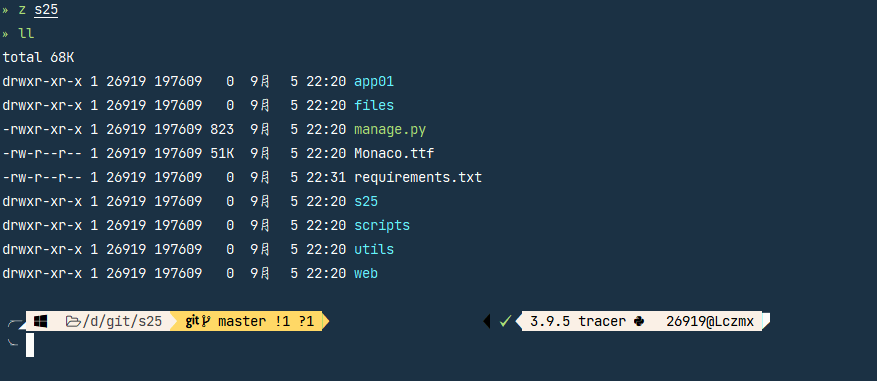
效果图:
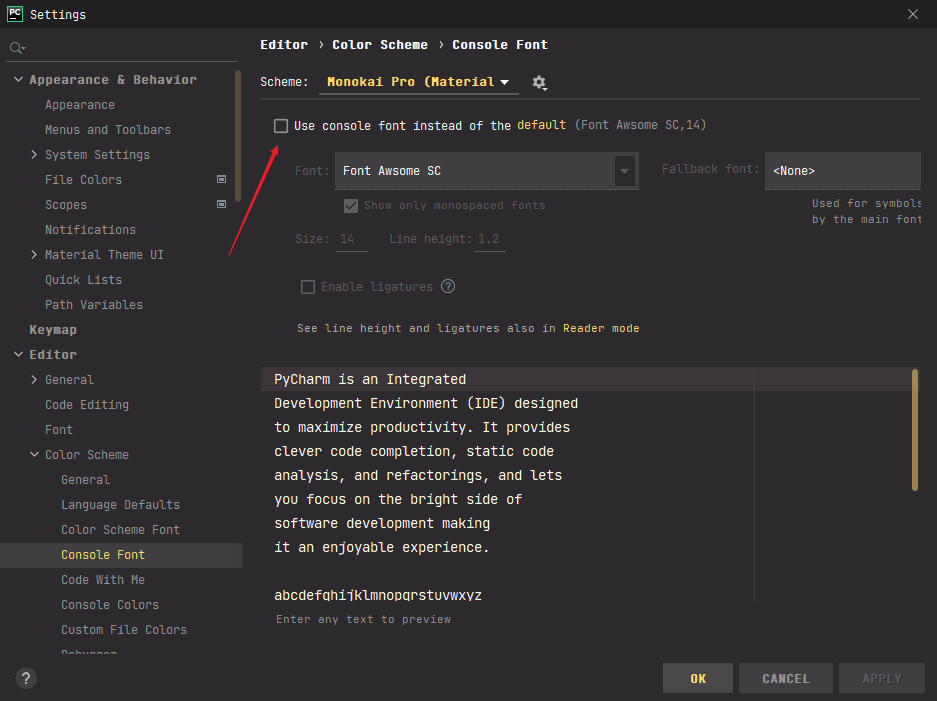
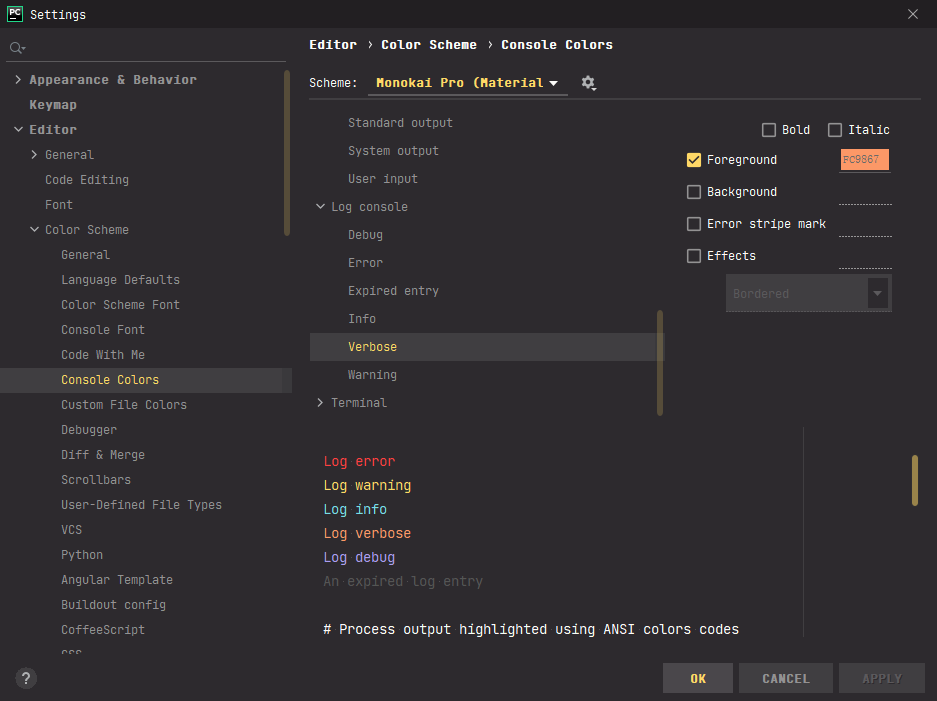
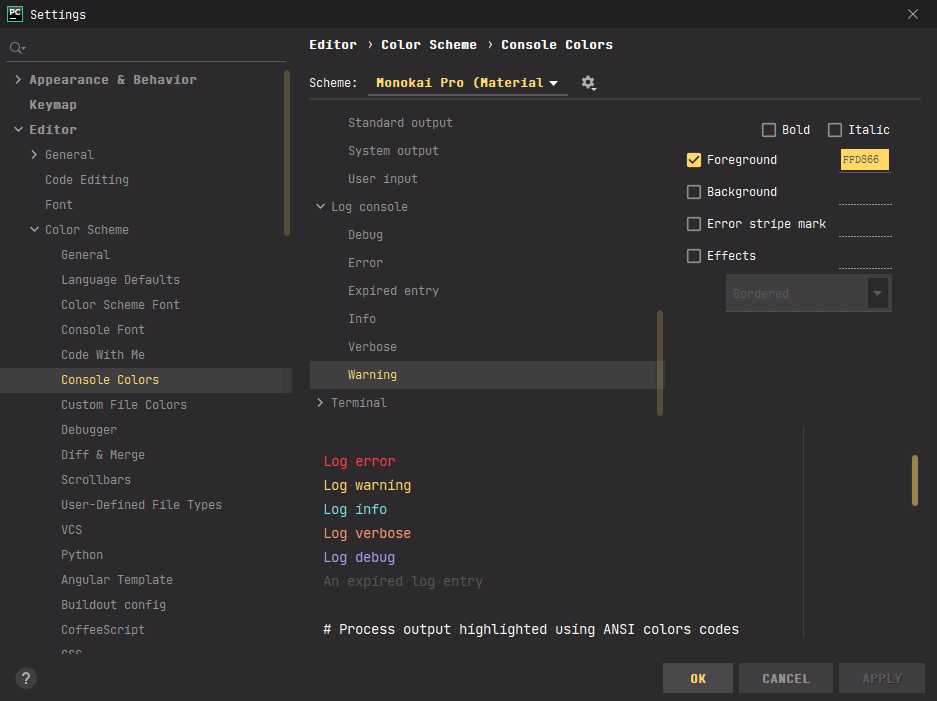
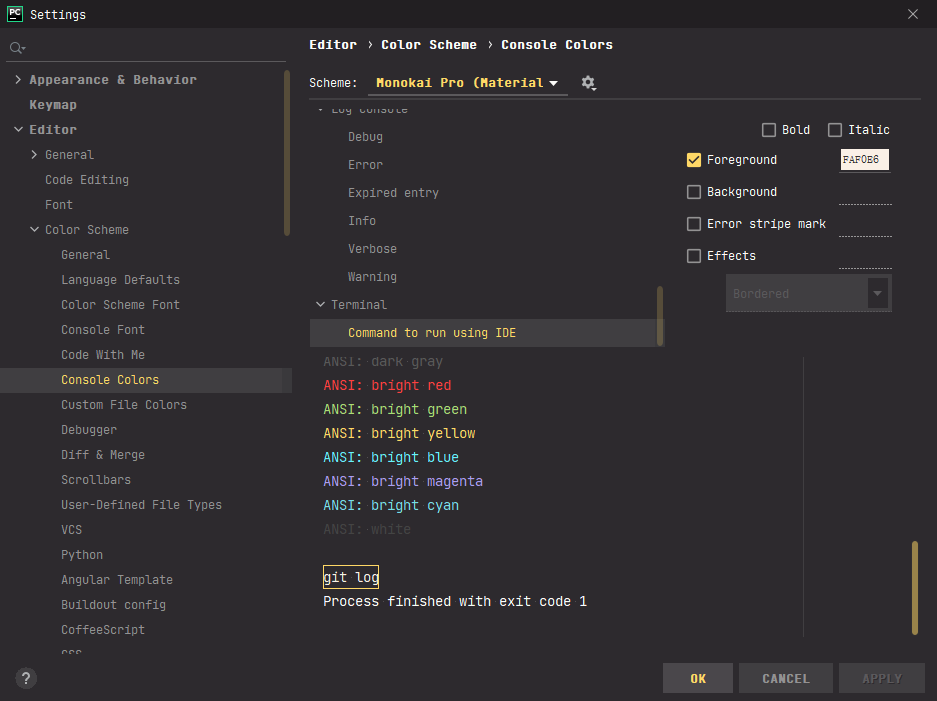
- 安装Material Theme UI
- 选择Monokai Pro主题
- 指定字体:
Font Awsome SC
- 设置终端字体为默认字体
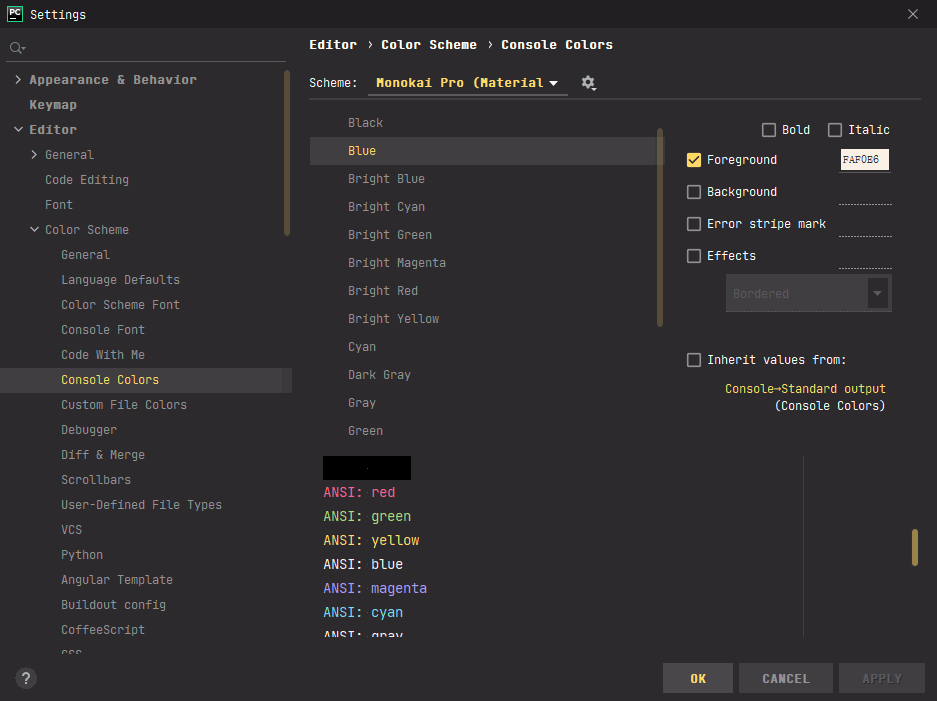
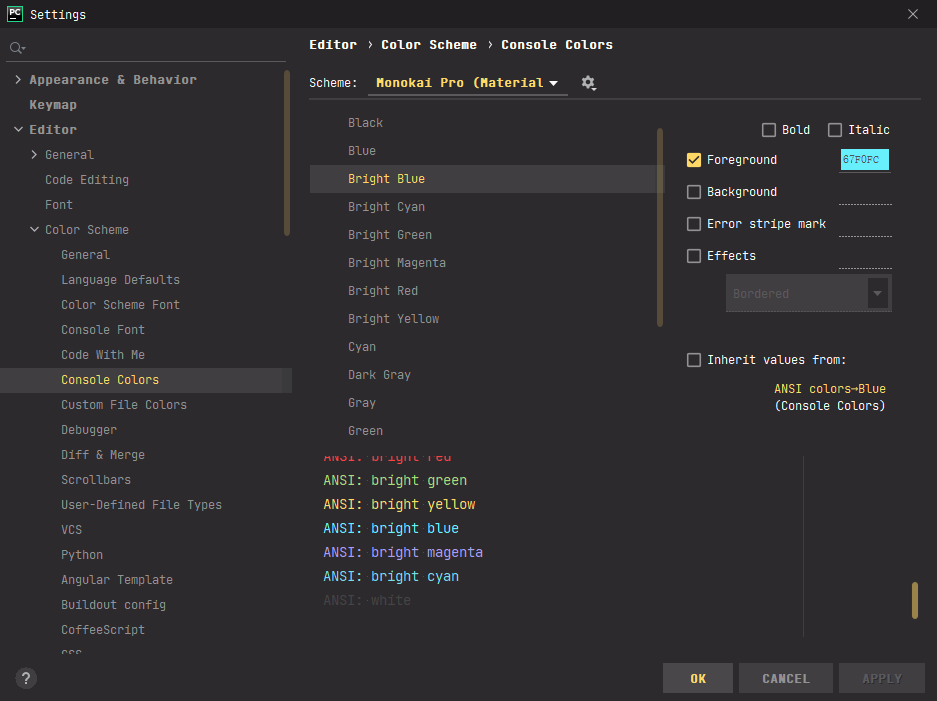
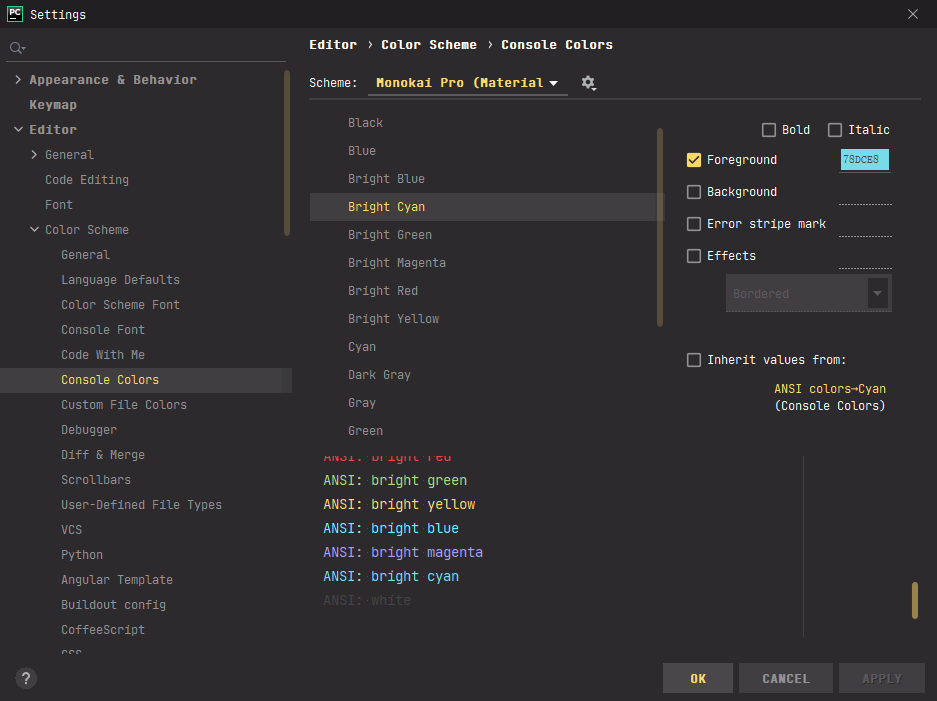
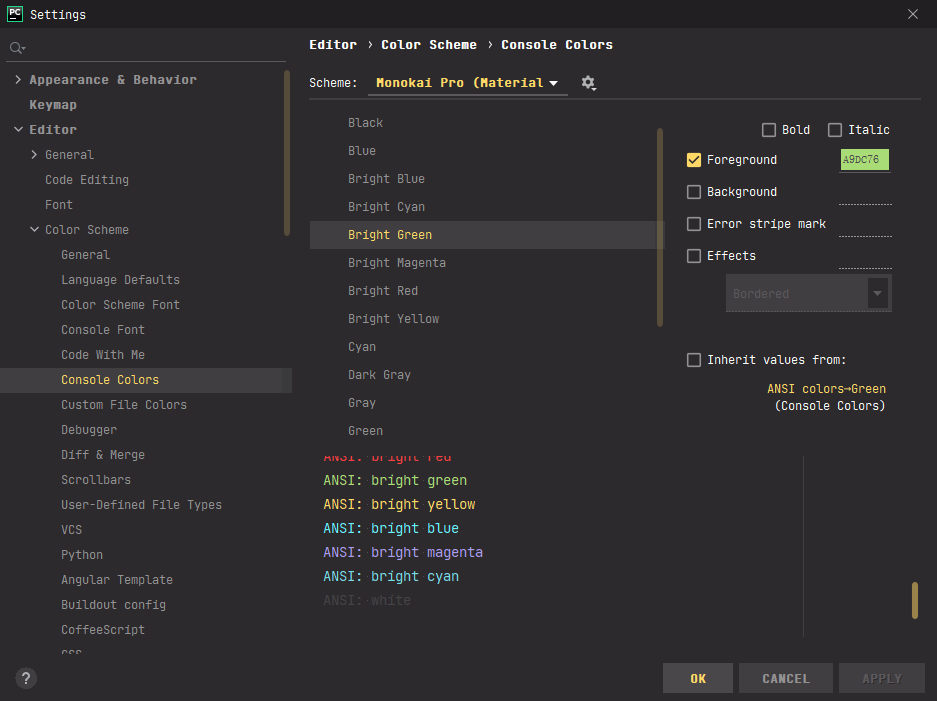
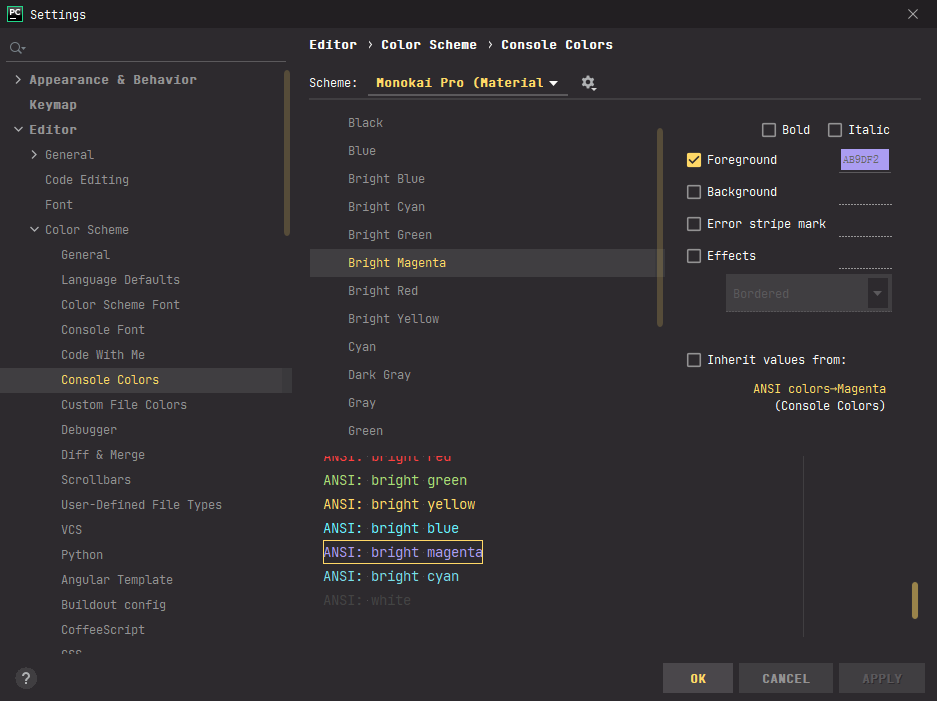
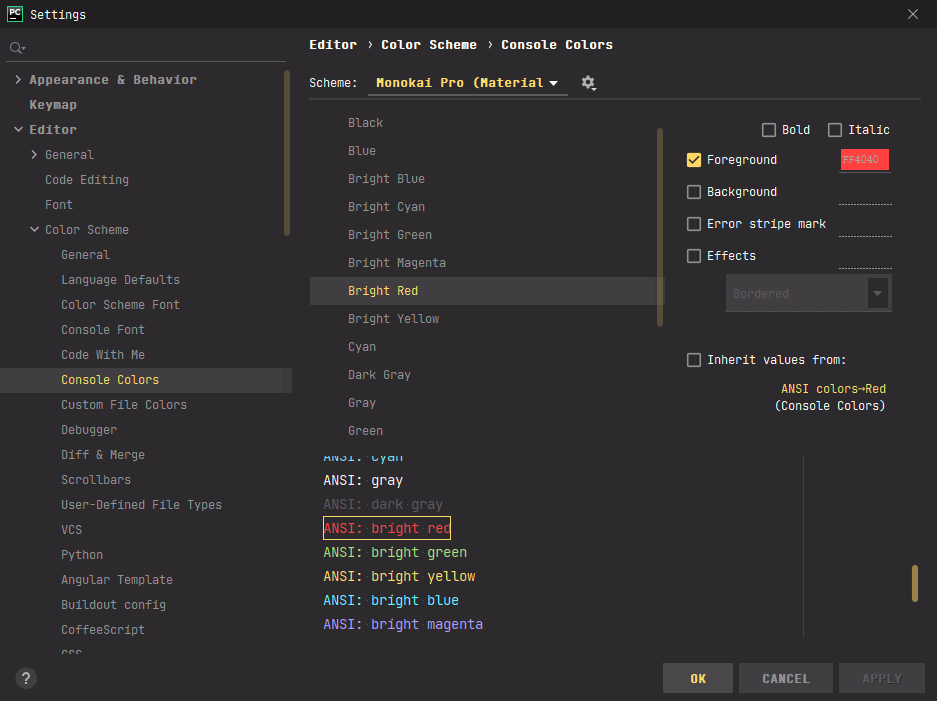
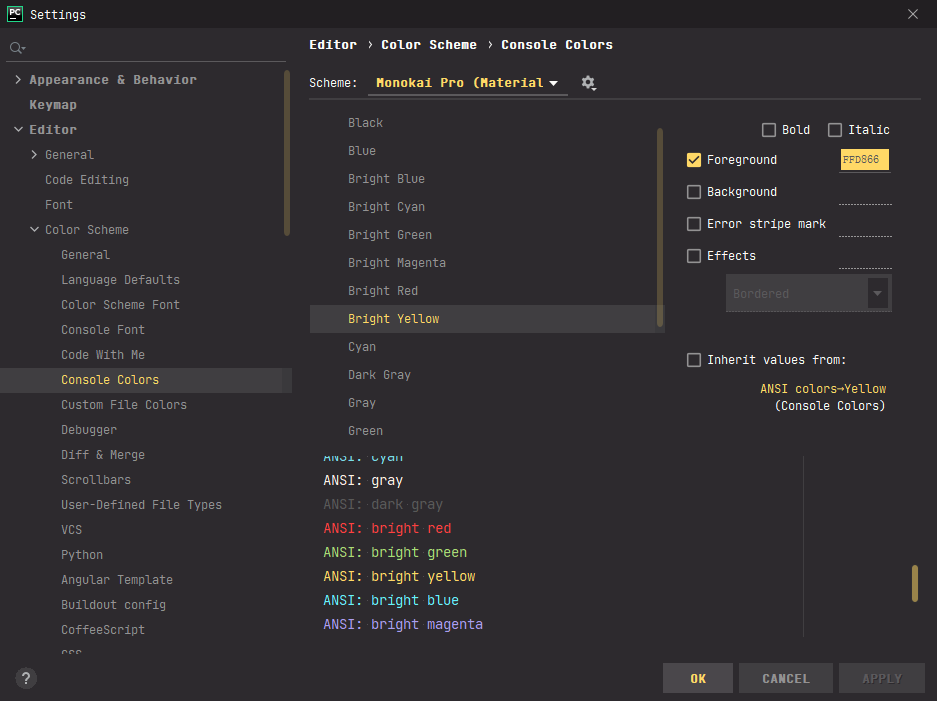
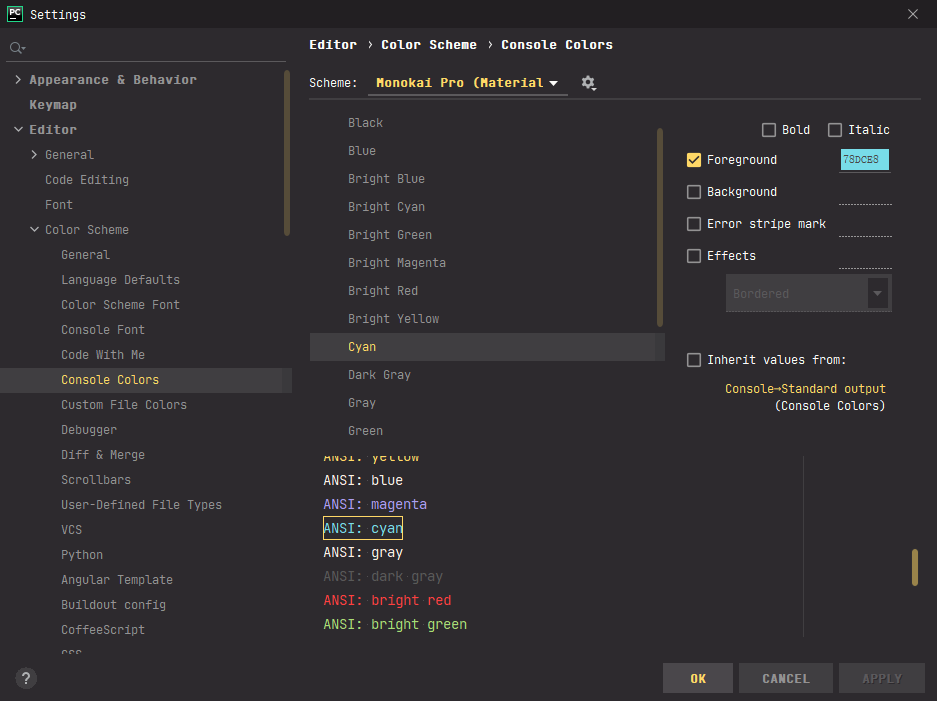
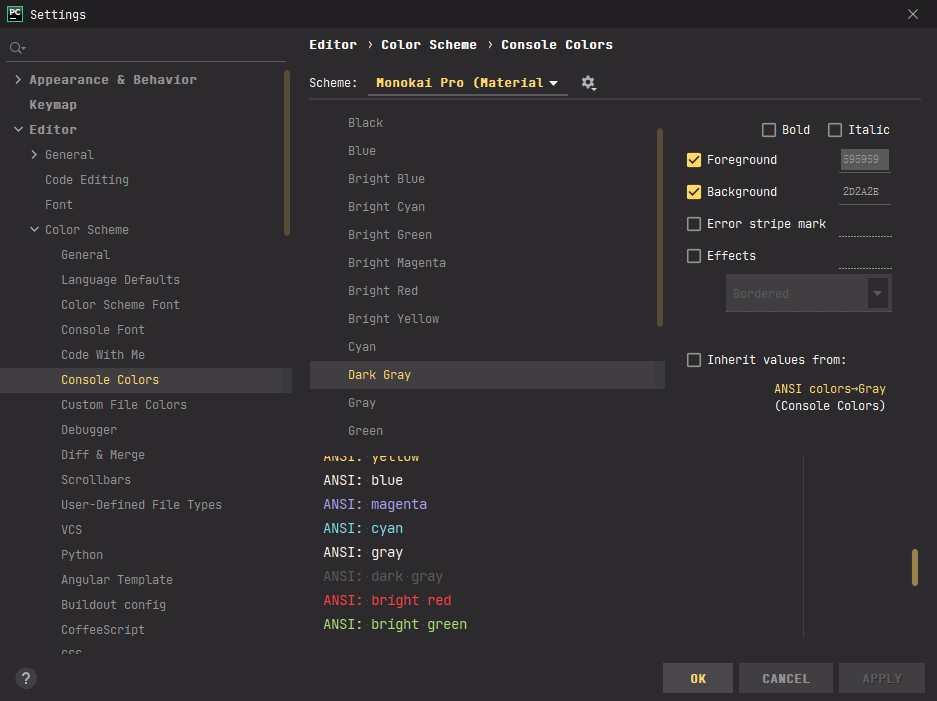
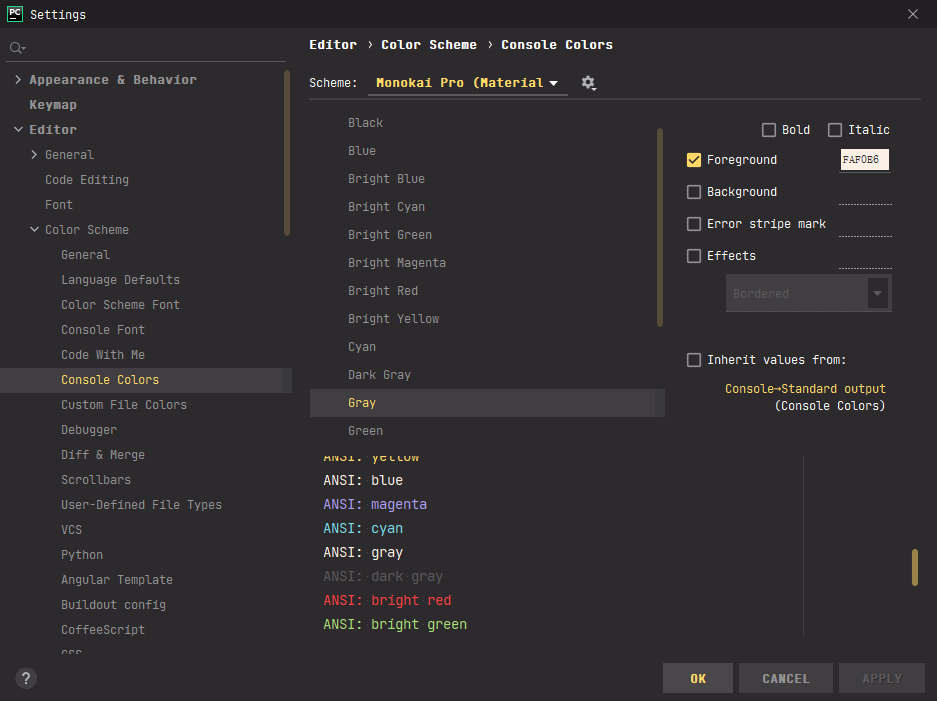
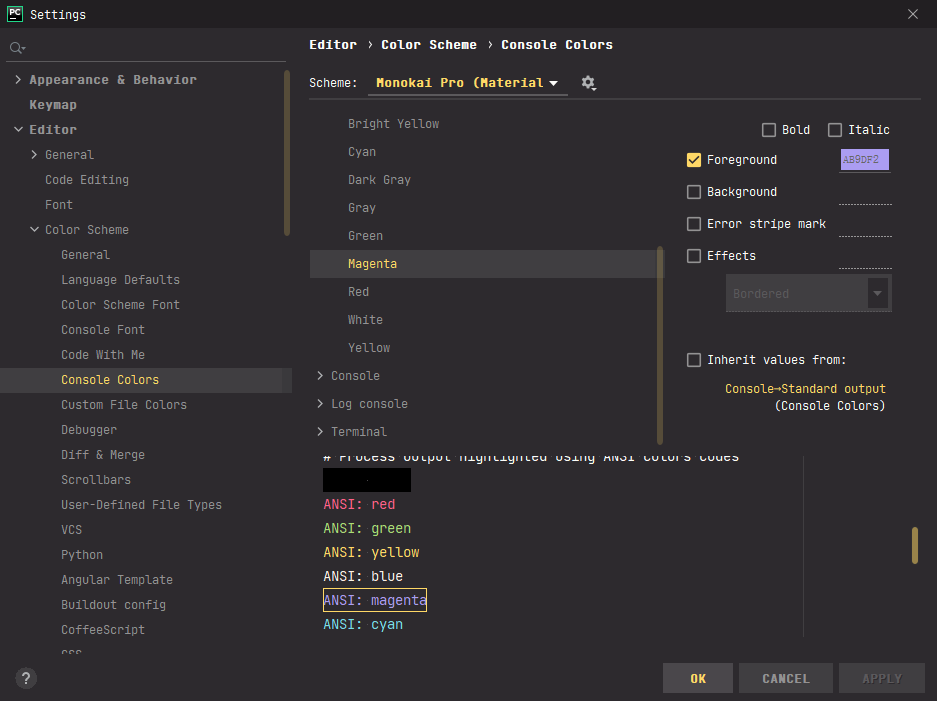
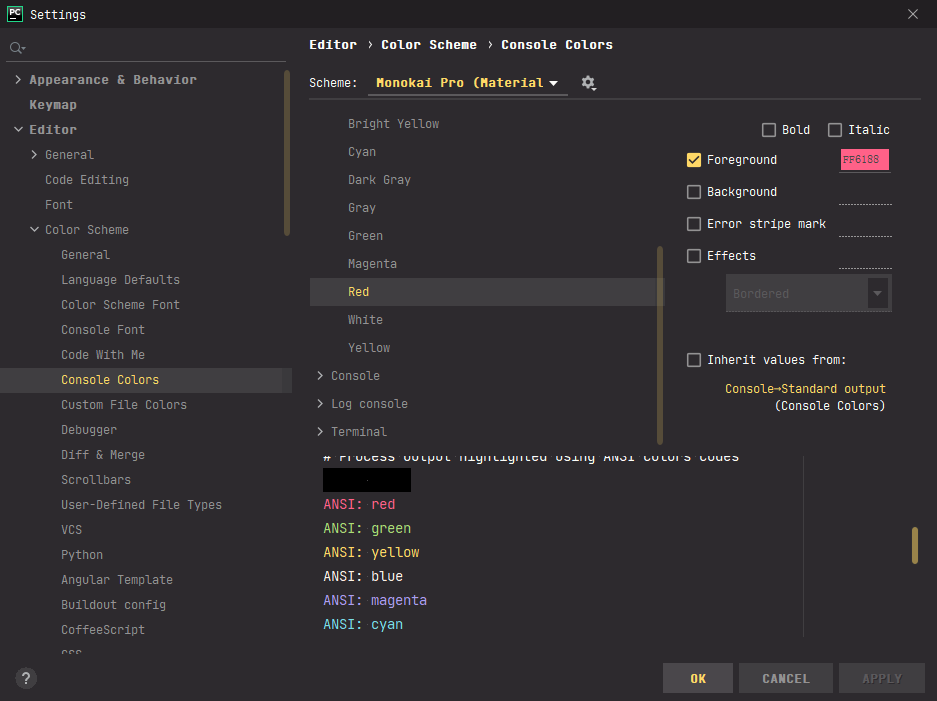
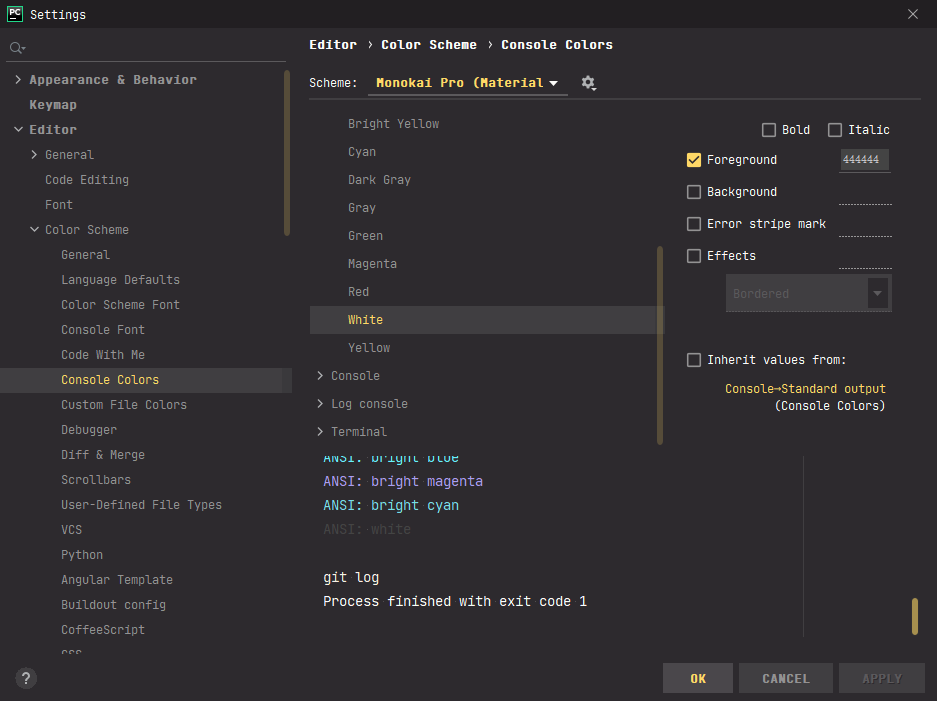
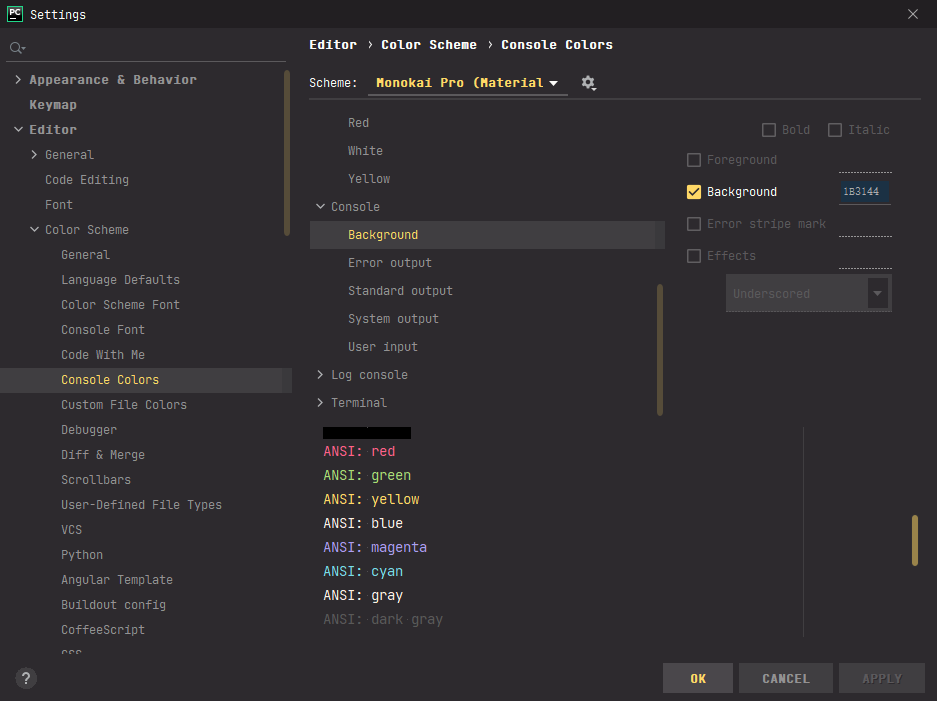
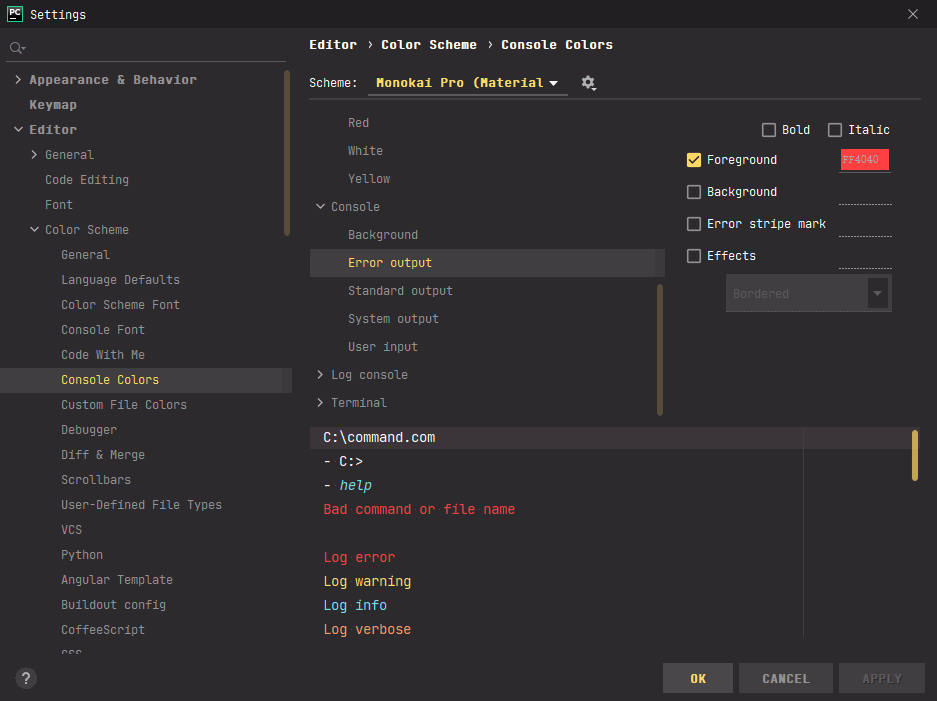
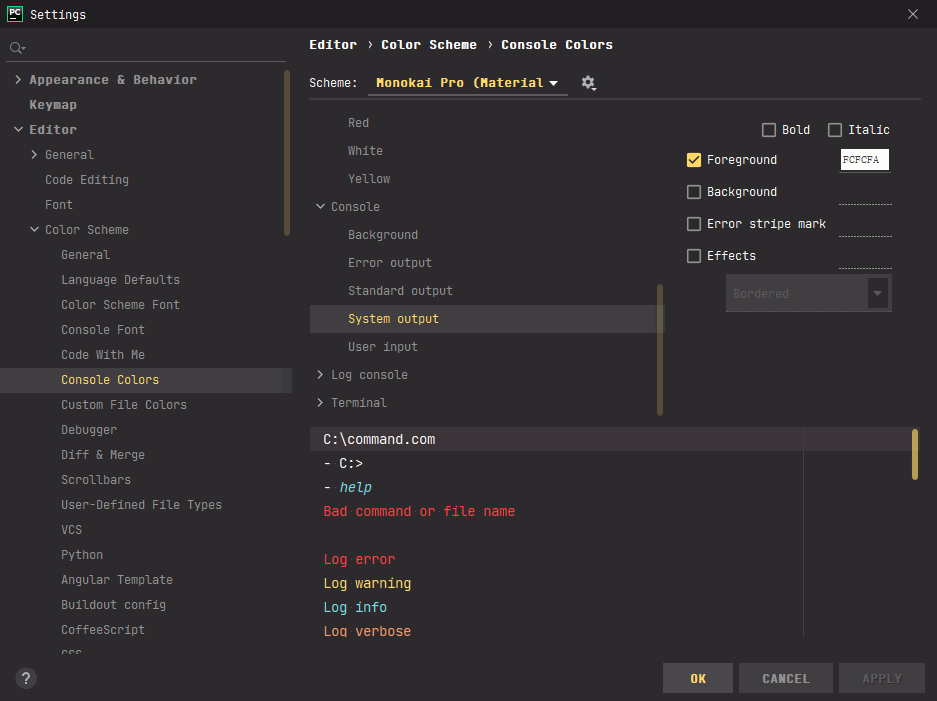
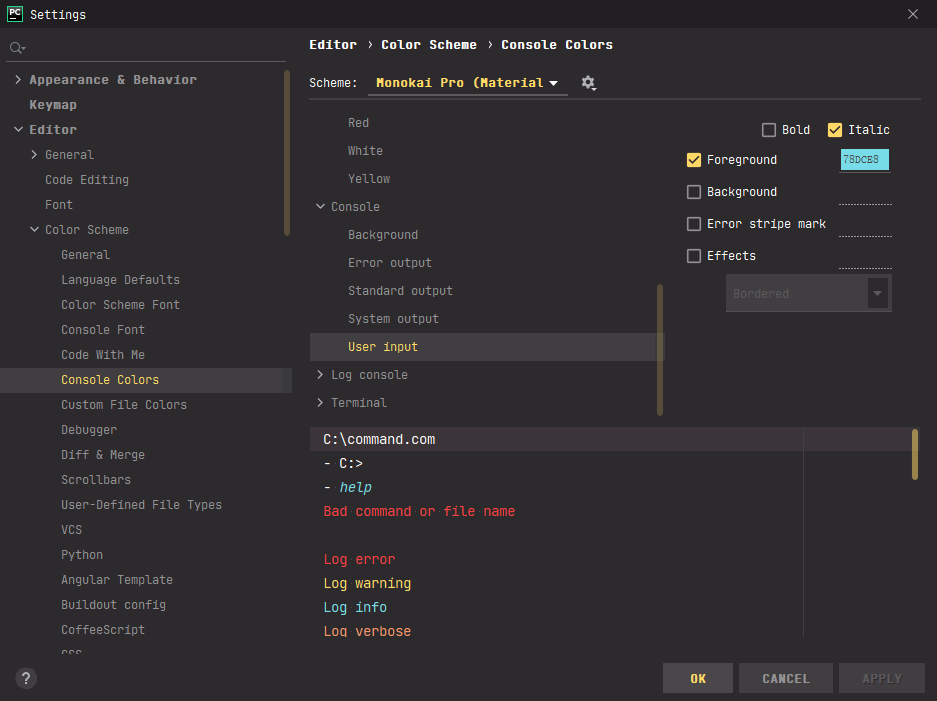
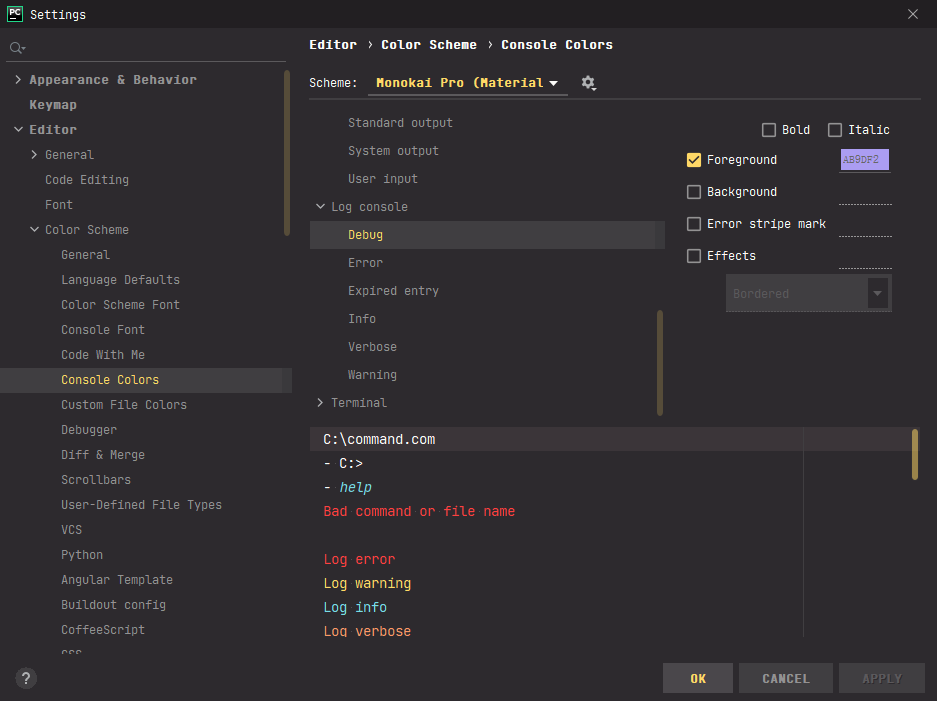
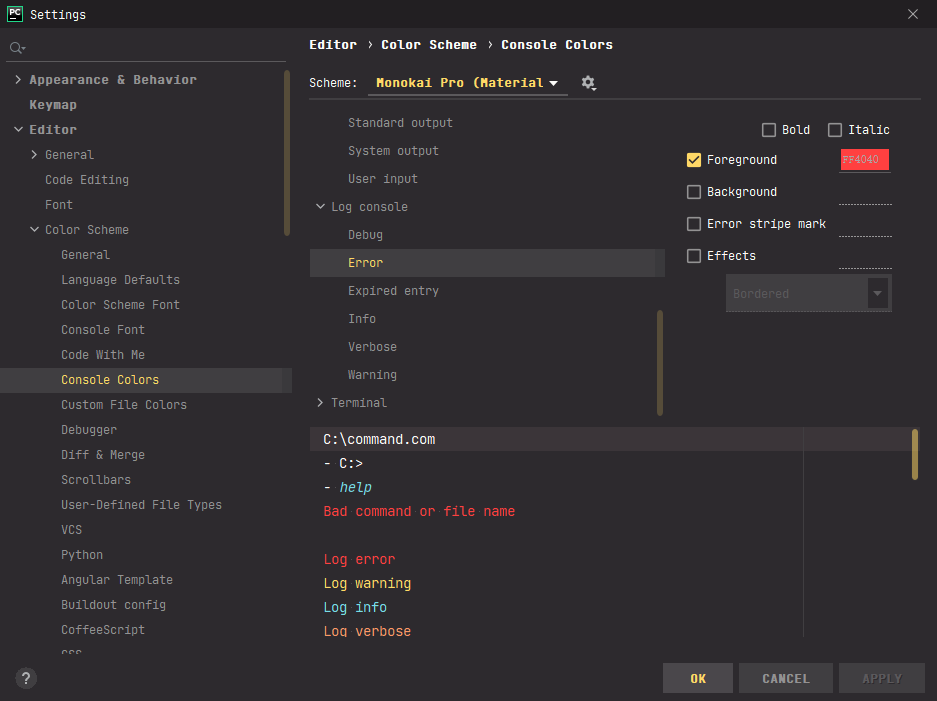
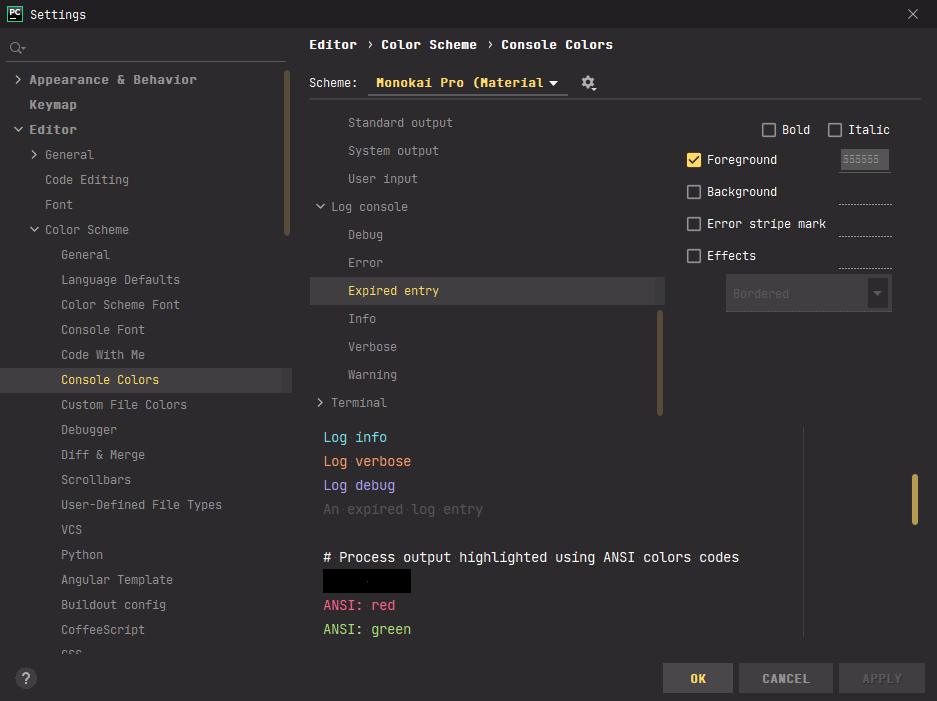
- 设置终端颜色





FluentTerminal
FluentTerminal添加到右键上下文, 点击这里
执行对于bat文件即可, 推荐带图标的
修改字体为Font Awsome SC
效果图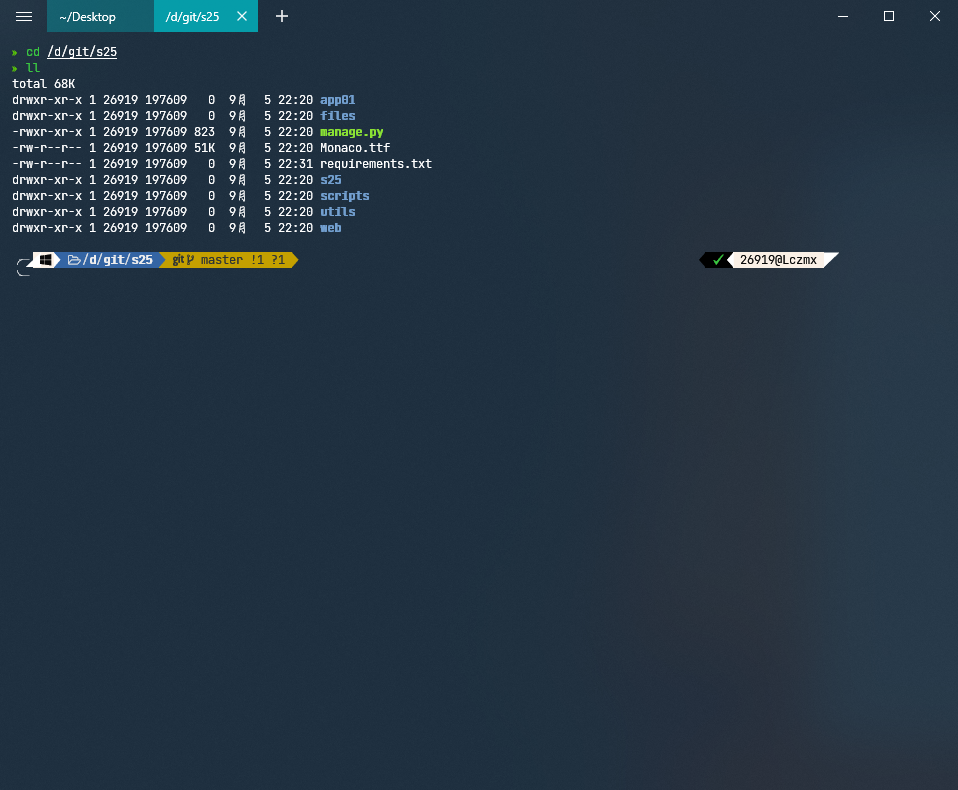
主题配置
终端配置